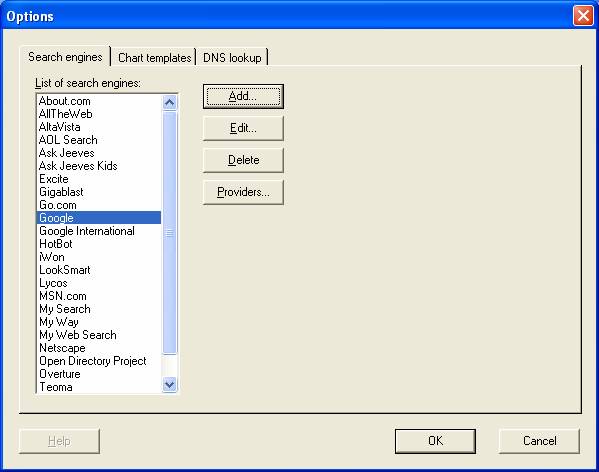

There are several settings that are shared by all web sites defined with FlashStats 2005:
Search engines and providers.
Templates used for creating charts.
Miscellaneous settings for controlling features such as DNS host name lookup.
To edit these settings, open the Tools menu and choose Options.
See the Search engines chapter for full details on how to define search engines and search providers.
FlashStats uses chart templates as the basis for the charts created for its reports. Normally you should not need to do anything with the chart templates.
During the beta process it is possible that new chart templates will be made available on the Maximized Software web site. To see if there are any new chart templates and to download and install them, follow these steps:
Open the Tools menu and choose Update configuration files.... Follow the prompts to see if any new templates are available and to download them if desired. (The chart templates are stored in the Fs2Res.dll file.) Be aware that if you download updated files you will lose any changes you may have manually made to your existing configuration files.
If you downloaded new configuration files and want to use the new chart templates, open the Tools menu and choose Options.... Choose the Chart templates tab, then click on the Install chart templates button.
FlashStats automatically handles the lookup of DNS host names if you have checked the check box labelled Perform DNS lookups (in the Advanced options section of the New report view) when creating reports.
FlashStats caches each DNS name that it finds for use in later reports. FlashStats will remove any DNS host name entry from the cache 30 days after it was first looked up. You can manually flush the entire cache at any point by opening the Tools menu, choosing Options..., choosing the DNS lookup tab, then clicking on the Clear DNS cache button. Clearing the DNS cache will cause subsequent runs of FlashStats to perform a new lookup for every IP address it finds in your web site log files.